Intelligent infrastructure that heals itself
SysGuard combines real-time observability with AI-powered remediation to detect, diagnose, and resolve Windows server issues autonomously.
The Reality of IT Operations
Systems fail at 3 AM.
Your team shouldn't have
to fight them alone.
Most monitoring tools see a problem and stop there. They fire an alert, then leave your team to figure out what broke, why it broke, and how to fix it: manually, under pressure, in the middle of the night.
The gap between detecting a failure and resolving it is where businesses lose money, operators lose sleep, and teams lose confidence.
of outages are manually detected, after the damage is already done
average time to resolve a critical infrastructure failure
estimated cost per hour of enterprise downtime
SysGuard was built for exactly this gap.
The Platform
Meet SysGuard.
A full-stack AIOps platform built to close the gap between detection and resolution. Three engines run in parallel, continuously.
Every registered service checked every five seconds. CPU, memory, disk, network, logs: all captured, all live. Windows services via WMI. Linux services via systemctl. HTTP endpoints, databases, sockets, and processes.
When something fails, SysGuard pulls live metrics, recent logs, and service state into a structured AI context. The engine identifies the root cause, not just the symptom. It reasons through the failure and proposes a fix.
The fix is presented as a reviewable, executable script. You approve it. SysGuard runs it. The result, the output, and the timestamp are stored permanently in your audit trail.
How It Works
From failure
to fixed.
Here is exactly what happens.
Detection
SysGuard detects a service failure within five seconds via continuous health checks. A notification fires immediately to the operator and the log pipeline.
Log Analysis
The log pipeline surfaces the relevant error context: exact log lines, severity, and timing pattern around the failure.
AI Diagnosis
The AI engine reads logs, metrics, and service configuration together. It identifies the root cause and explains it in plain language, not just the symptom.
Fix Generation
A remediation script is written automatically: with error handling and safe execution in mind. Shown to the operator before anything runs.
Resolution
Operator approves. Script executes. Output is captured. Service recovers. Audit log updated. Alert cleared. The full chain is on record.
How It Works
From failure to fixed.
Here is exactly what happens.
- 01
Detection
Service failure detected within five seconds via continuous health checks.
< 5 seconds - 02
Log Analysis
Log pipeline surfaces exact error context: lines, severity, timing.
Real-time - 03
AI Diagnosis
AI reads logs, metrics, and config together. Root cause in plain language.
Plain language - 04
Fix Generation
Remediation script written with error handling and rollback. For review first.
Awaiting review - 05
Resolution
Approve, execute, capture output, recover, log. The full chain on record.
Permanent audit
Features
Built for operators.
Trusted at 3 AM.
See everything.
Miss nothing.
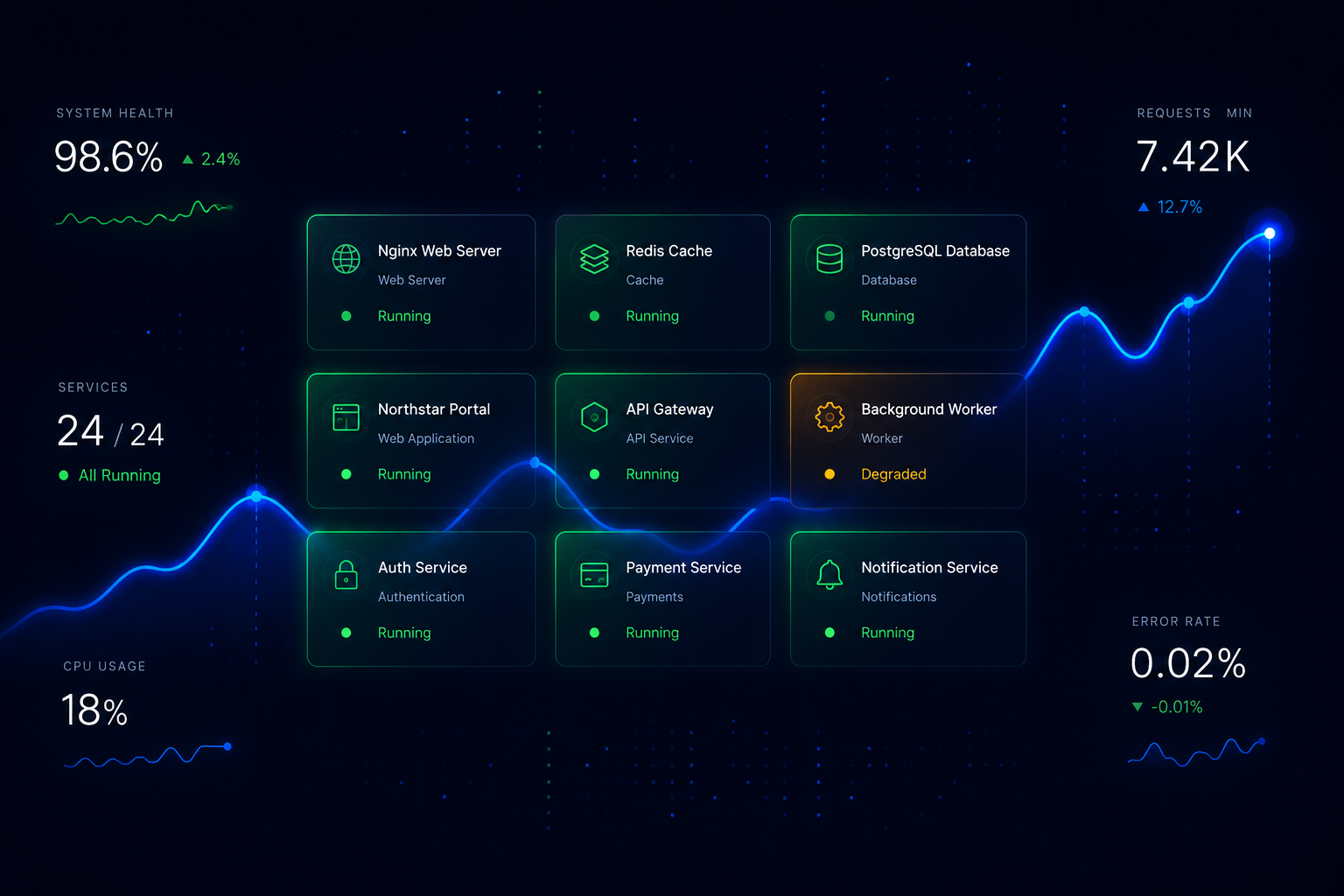
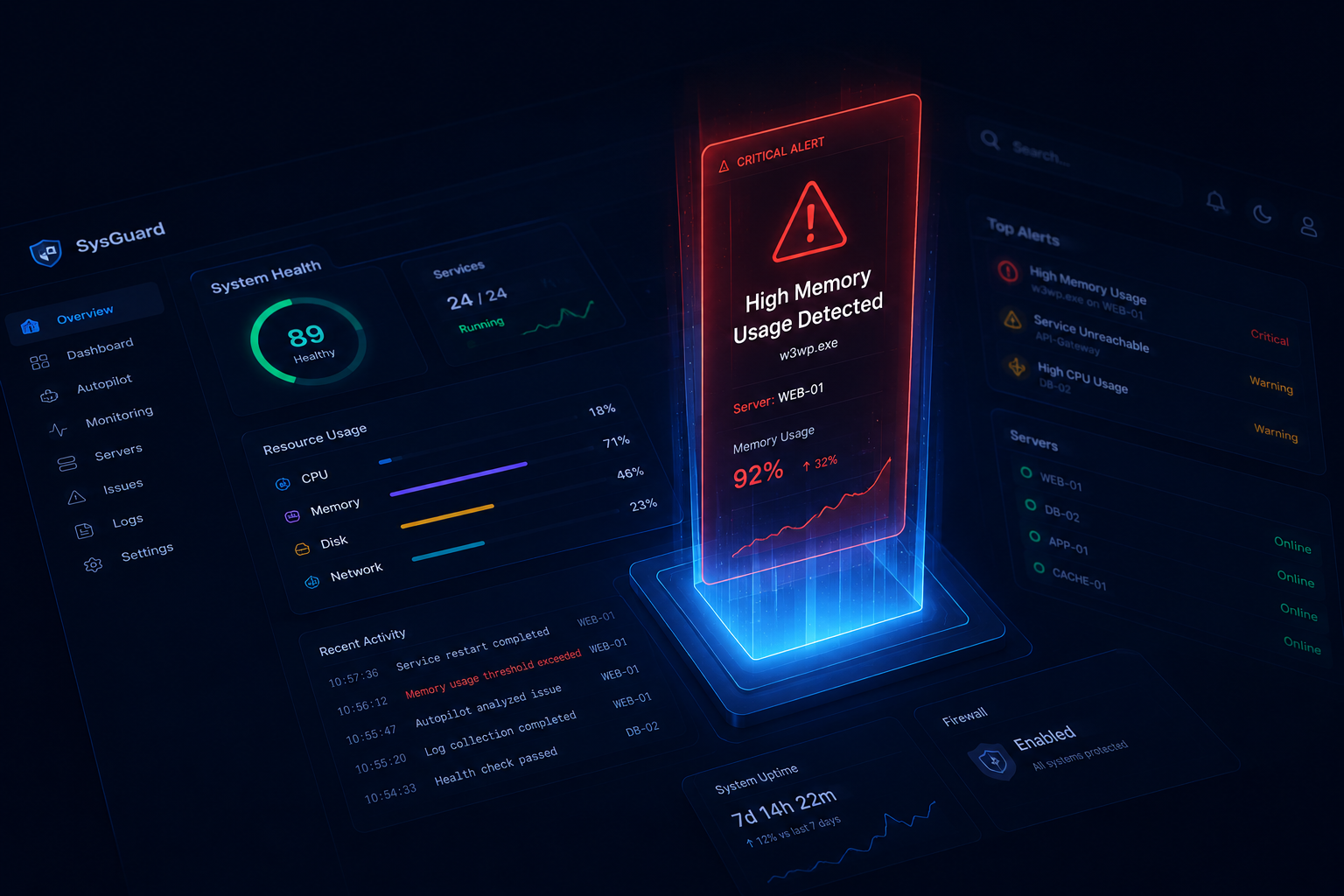
A live dashboard that shows every service, every metric, and every status change as it happens. CPU, memory, disk IO, and network charts updating continuously. An active connection viewer and a top-process list. One screen, full picture.
Root cause in seconds,
not hours.
Launch an AI diagnostic session against any failing service. SysGuard assembles the context: live metrics, recent log entries, service configuration, error patterns. What comes back is a structured root cause analysis and a ready-to-run fix script, explained step by step.
Tell it what
you need.
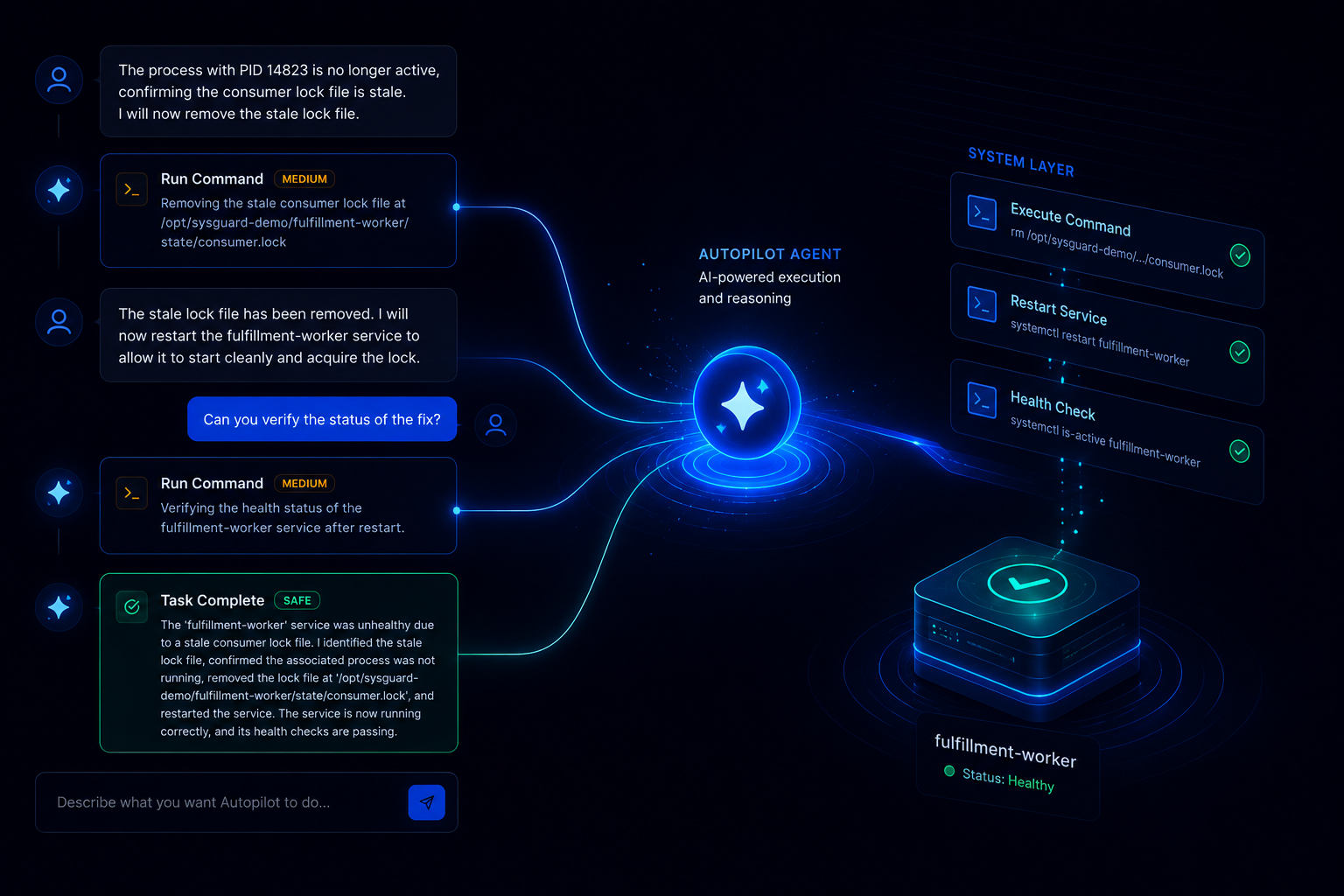
Autopilot is a fully autonomous system agent. Describe what you want in plain English. It plans the steps, assesses risk, executes what is safe, and asks for approval before anything sensitive runs. Eight built-in tools. Every file modification backed up before it is touched.
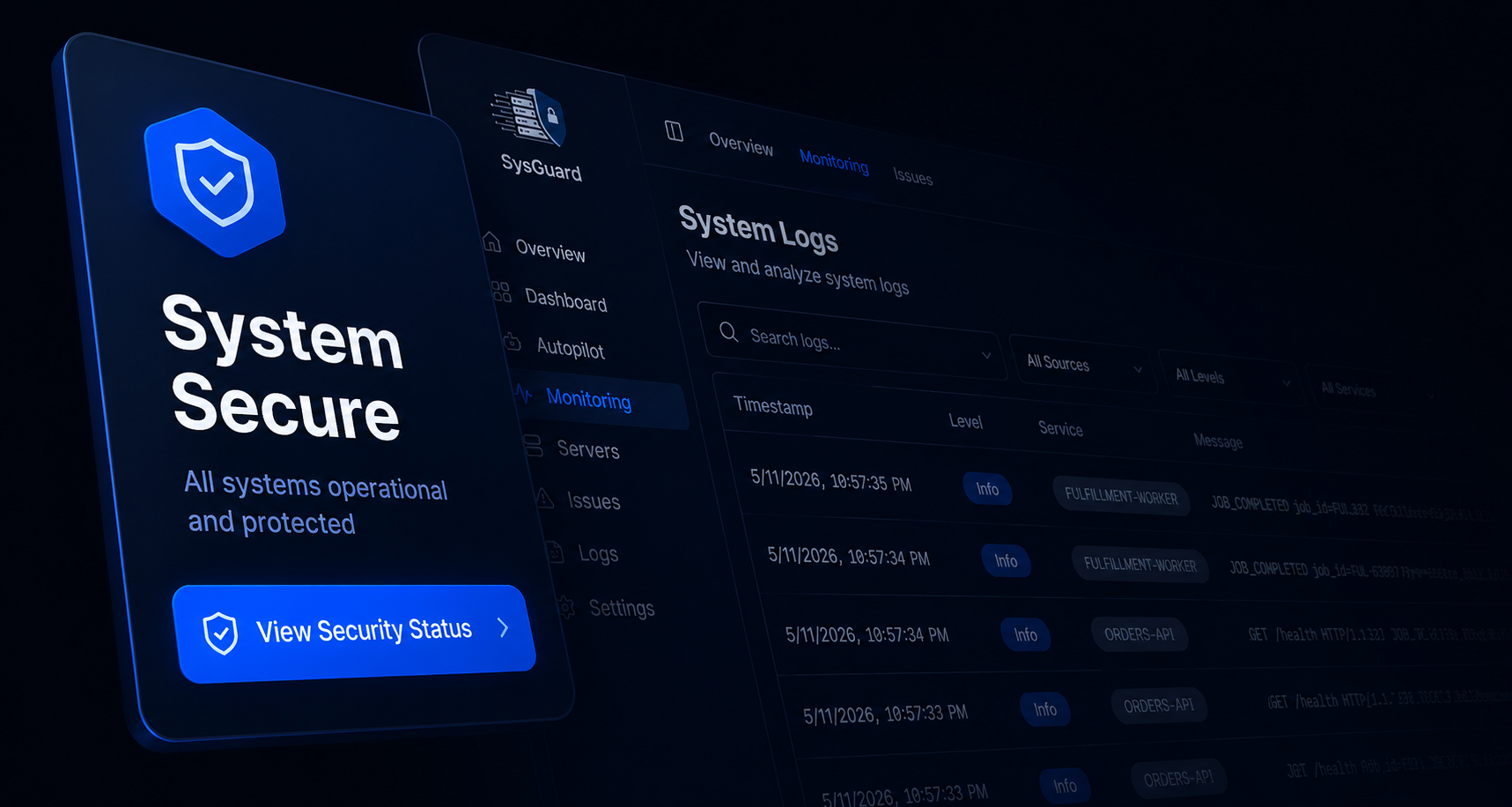
Logs that actually
mean something.
SysGuard ingests logs from IIS, SQL Server, application services, and system events through a Vector pipeline, enriching every entry with severity metadata. Filtered by service, level, severity, or keyword. Fed directly into AI sessions when diagnostics are triggered.
Powerful automation.
Human control.
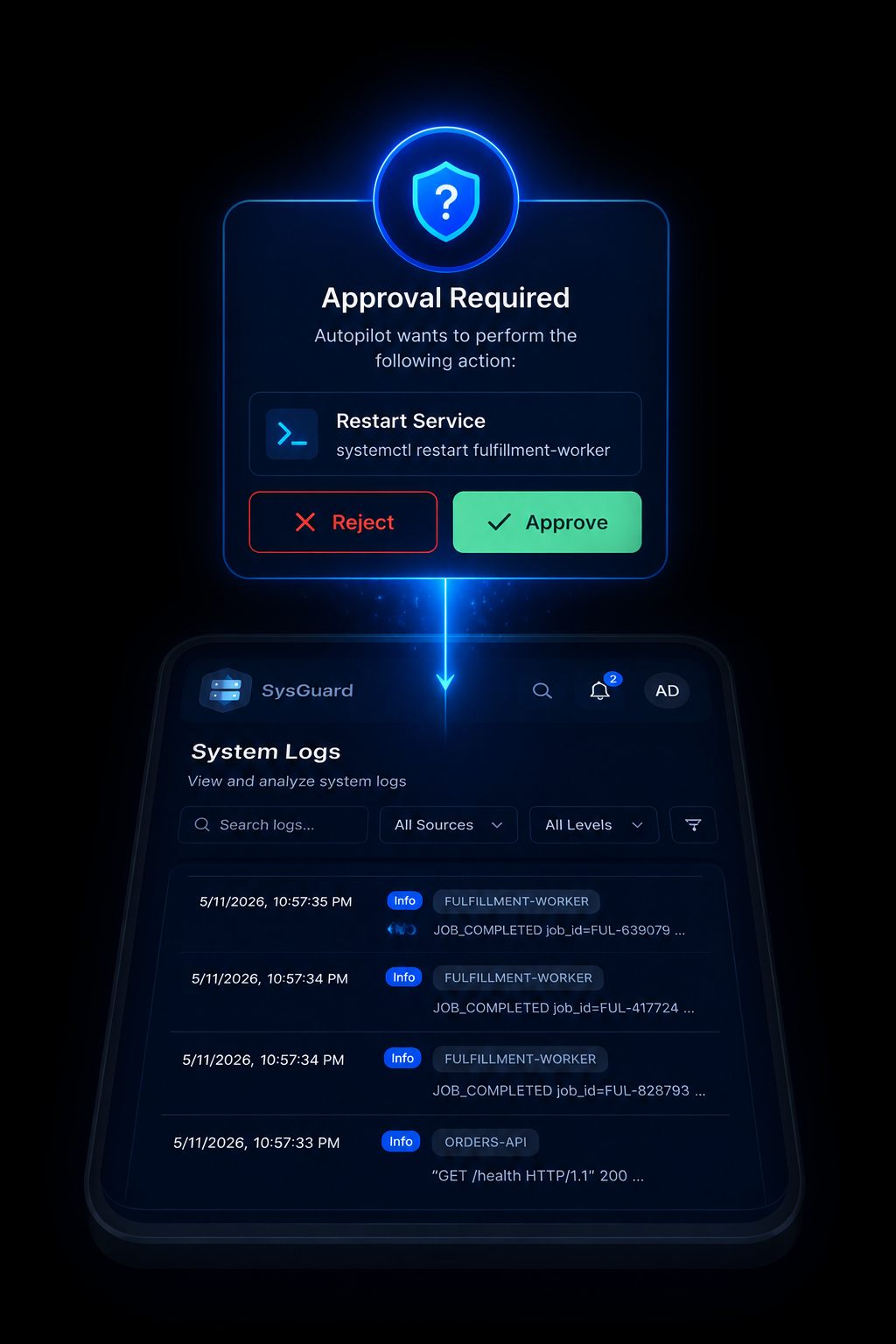
No script executes without approval. Every Autopilot action is classified by risk level: safe, medium, or high. A three-tier safety mode controls what runs freely and what requires explicit sign-off. The full script is shown before execution. Output and timestamps stored permanently.
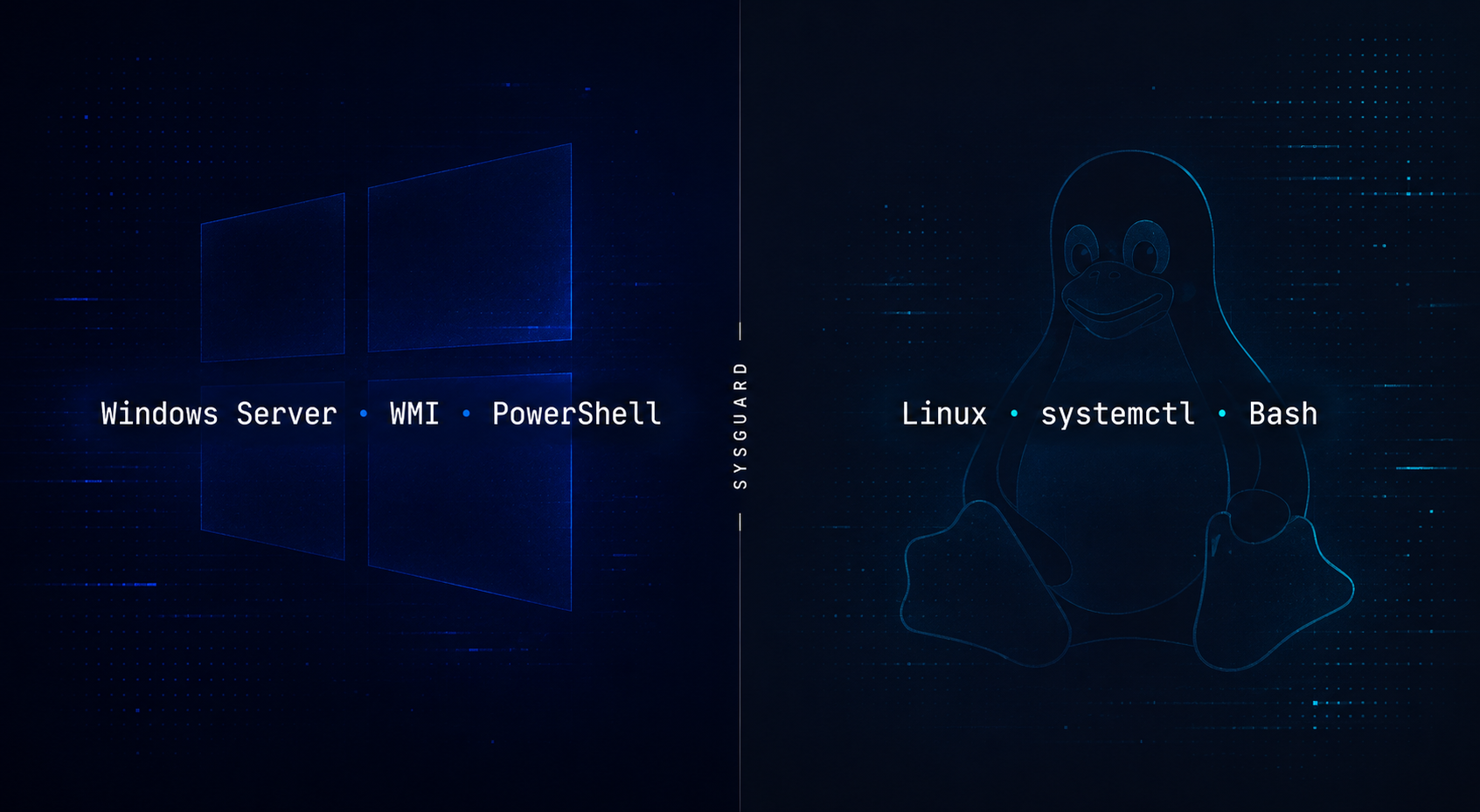
Windows and Linux.
Native to both.
SysGuard runs natively on Windows Server using WMI for service interrogation and PowerShell for remediation, and on Linux using systemctl and Bash. The same platform, the same interface, the same AI, regardless of what your infrastructure runs on.
Autopilot
Just tell it
what you need.
SysGuard Autopilot is an AI agent that investigates and fixes real infrastructure problems through conversation, not a chatbot that suggests commands for you to copy and paste.
# Capture memory dump before restart
$stamp = Get-Date -Format 'yyyyMMdd_HHmmss'
$dump  = "C:\Logs\w3wp_dump_$stamp.dmp"
procdump.exe -ma w3wp.exe $dump
Restart-Service -Name "W3SVC" -Force
Write-Output "Restarted at $(Get-Date)"
Approve this action?
Natural Language Commands
No scripts, no syntax, no documentation lookup. Describe what you want, Autopilot plans how to get there.
Risk-Classified Execution
Every step is assessed before it runs. Safe operations execute immediately. Sensitive operations wait for you.
Automatic Backups & Revert
Every file touched is backed up before modification. If something goes wrong, one click restores the original.
Under the Hood
Not just any AI.
AI built for this.
Most platforms connect to an AI API and call it intelligence. SysGuard went further. Two proprietary machine learning models were designed, trained on purpose-built datasets, and deployed, built from scratch for infrastructure operations.
Trained on annotated examples pairing raw system log entries with structured remediation decisions. It reads a log, identifies the failure category, determines the root cause, selects the correct tool, and produces a reasoning chain. The training dataset did not exist before this project. It was built from scratch.
Adapter switching at runtime
Trained on natural-language-to-command pairs spanning Windows PowerShell and Linux Bash. Translates a plain English task into a precise, safe, executable shell command. One of the largest purpose-built NL-to-command datasets assembled for dual-platform system administration.
The result is an AI that understands the difference between a memory leak and a misconfigured service, because it was trained to.
SysGuard Companion
Your infrastructure,
in your pocket.
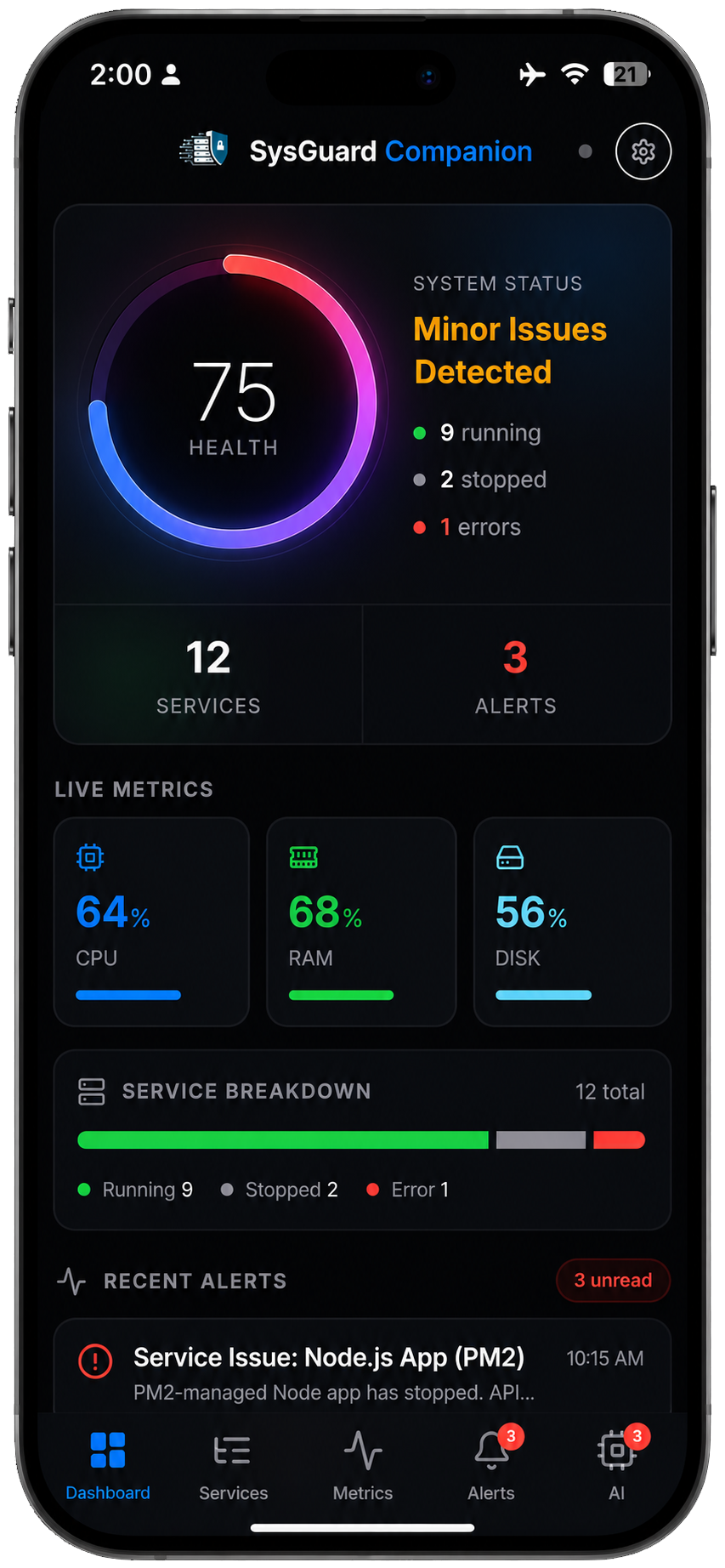
SysGuard ships with a companion app available on iOS and Android directly from the browser, no app store required. Install it once and your infrastructure follows you everywhere.
-
Live Health DashboardCPU, memory, network, and service status. Always current.
-
Service ControlsStart, stop, and restart services directly from your phone.
-
Instant AlertsPush notifications the moment a service changes state.
-
AI ApprovalReview and approve or reject Autopilot actions from your phone.
The same platform. The same intelligence. Fits in your pocket.
Use Cases
Real problems.
Real fixes.
Real infrastructure.
These scenarios were executed against live systems during development and demonstration.
NGINX Configuration Error
A syntax error in nginx.conf brought the web server down. SysGuard detected the health check failure, the log stream identified the exact faulting line, and the AI agent corrected the file and reloaded NGINX without any operator scripting.
Brute Force Attack
A credential stuffing attack generated a flood of failed authentication responses from a single IP. SysGuard surfaced the pattern from the log stream in real time. The AI added a targeted block rule to Windows Defender Firewall.
Windows Service Failure
The Print Spooler stopped unexpectedly. SysGuard detected the state change within five seconds via WMI. The AI confirmed a clean stop, proposed a restart, and executed after approval. Service restored in 12 seconds total.
SQL Injection Detection
Malicious query strings hit a web application API. SysGuard surfaced them from the log stream. The AI identified two distinct attack patterns and proposed both firewall rules and application-layer hardening measures.
Cascading Dependency Failure
An upstream service was left stopped after maintenance, causing a dependent service to fail its health check. The AI distinguished root cause from symptom and restarted only the upstream service. Both recovered in 30 seconds.
Stale Lock File
A queue worker appeared healthy to systemd but had silently stopped processing. An old lock file from an OOM kill was blocking it. SysGuard caught the application-level failure, confirmed the lock process was gone, and removed the file.
Firewall Misconfiguration
A hardening change blocked an application port. SysGuard health check timed out rather than being refused, identifying this as a packet drop, not a stopped service. The AI restored the correct rule without touching the application.
Proactive Health Assessment
An administrator asked for a full system overview with no specific complaint. Autopilot autonomously checked CPU, memory, disk, network, and services, and delivered a consolidated structured report in under two minutes.
Stop reacting. Start resolving.
Your infrastructure deserves better than 3 AM pages and manual runbooks. SysGuard detects, diagnoses, and fixes — so your team wakes up to solved problems, not open incidents.
Get Access NowBuilt at Air University Islamabad
BS Cybersecurity
Final Year Project 2026